
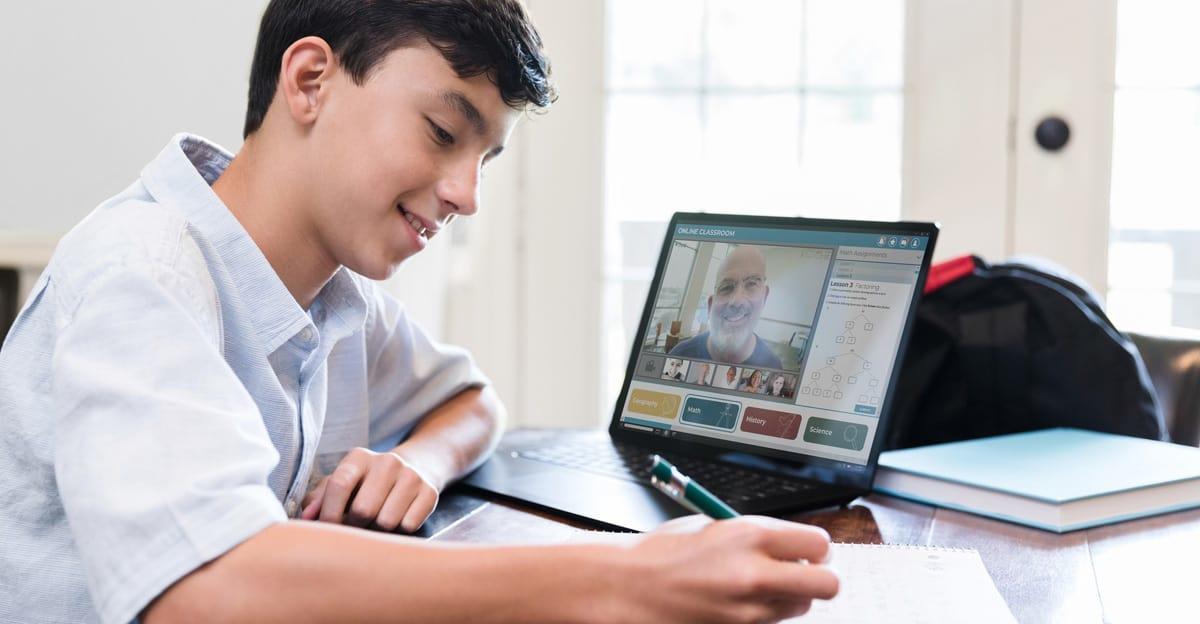
Many K-12 school systems nationwide have invested time and money in creating hybrid learning environments that combine face-to-face and online instruction for students who work best with each type of model.
In some cases, students learning online do so asynchronously, watching videos and completing classwork on their own time. In other cases, remote students are participating in live class sessions with their peers via Zoom, Google Meet, or another video conferencing platform.
The synchronous hybrid model can be viewed as more efficient for educators, as they don’t need to prepare separate lessons for students learning in class and those learning online. It can also be more interactive for remote learners, as it integrates them into the learning community: they can participate in live conversations and activities as if they were present with their classmates.
Regardless of what hybrid learning looks like at each school, making it work effectively takes careful planning. There is evidence suggesting that hybrid learning will continue, which means K-12 leaders should be very deliberate in how they create hybrid learning environments to support long-term success.
This article examines why hybrid learning could be here to stay, and it explores three critical elements for effective hybrid learning environments: instructional planning, technology, and classroom design.
Hybrid Learning Could Be Here to Stay. Here’s Why.
“There’s no going back now,” Pedro Martinez, superintendent of the 49,000-student San Antonio, Texas, school system, told Education Week. Voters there recently approved a $90 million bond issue to fund new technology, including cameras and microphones to stream instruction live to thousands of students learning remotely across the city.
Having the option to attend school remotely makes education more convenient for certain student populations, such as students with health issues, those who struggle socially, or athletes who travel frequently.
Education Week reports a preference for remote learning from a “small but significant subset of families.” Tired of racial discrimination, for example, some parents say they feel empowered by remote learning, which has given them more visibility into instruction and how educators treat their children.
Ten percent of K-12 leaders surveyed by the RAND Corporation last fall said they planned to continue offering a blended or hybrid learning model, and 20 percent said they would consider offering a fully online option for students.
In San Antonio, the district’s $90 million bond issue included funds to purchase 1,600 camera-and-microphone setups that automatically follow teachers as they walk around the classroom, with the goal of creating a more dynamic learning experience for students learning remotely.
Superintendent Martinez said the technology is a long-term investment that can help his district continue to offer hybrid learning. He envisions having 70 percent of students learning in person and 30 percent learning remotely moving forward.
“I want that flexibility,” he told Education Week, “as long as we can show [that] children are still learning.”
To ensure success with hybrid learning, K-12 leaders need to focus on three key elements: planning high-quality instruction, equipping classrooms with the right technology, and strategically designing classrooms to support teachers and students.
Planning High-Quality Hybrid Instruction
Successful hybrid learning begins with planning and designing high-quality instruction. Here are three guiding principles to keep in mind.
Make it active and collaborative.
The elements of high-quality instruction are the same, regardless of how the lessons are delivered—in person, online, or both. In all cases, students learn more effectively and are more engaged in their education when they’re actively learning, rather than simply watching a video or listening to the teacher talk. Students need the opportunity to analyze content, work collaboratively, and solve problems.
That does not mean direct instruction has no place in hybrid learning; there will be times when it’s the most effective way to convey information. However, teachers should combine direct instruction with opportunities for more active and collaborative learning, in which groups of students work together to discuss the material and create a product that applies their new knowledge.
When online learning happens live, think about “resilient pedagogy.”
When students learning remotely engage in live, synchronous instruction, teachers must ensure the lessons they design apply equally well to in-person and online learners. Teachers should consider how they will create opportunities for students to engage with the content and each other remotely, how the logistics of assessment will work, and how feedback will be provided.
There is an instructional model called “resilient pedagogy” that applies well to synchronous hybrid learning environments. It’s an approach in which the teacher designs activities so that anyone can participate just as effectively, wherever they are, whether at home or in the classroom. Instead of preparing separate lessons for different learning modalities (in-person, synchronous online, or asynchronous online), the teacher plans lessons and activities that are flexible enough to be completed using any of these modalities.
When online learning is asynchronous, match the activities with the learning mode.
If remote students are learning on their own rather than joining the class via live video conferencing, teachers should consider which activities are best suited to online versus in-person learning. For instance, the teacher might have students watch a short video at home to learn about a topic, and then use in-person class time to discuss the ideas or lead hands-on, deeper-learning activities that are easier to support when the teacher can facilitate them in person.
Five Essential Technologies for Making Hybrid Learning Work
While the quality and design of the instruction should always be the top priority for K-12 leaders, having the right technology in place is also critical for hybrid learning success. Here are five core technologies needed to support effective hybrid instruction.
A video conferencing platform for connecting remote students to live instruction.
Ideally, the system you use should be designed to support effective teaching and learning. For instance, it should be fully secure, allowing only authorized students to access the class remotely—and it should include breakout rooms for students and teachers to meet in smaller groups.
A camera or system of cameras for projecting the teacher’s image.
It is important for remote students to be able to see their teacher and interact visually with them. While a single stationary camera will work, some school systems (such as San Antonio) are investing in more sophisticated camera systems that can pan and swivel, following the teacher as he or she walks around the room to make instruction more mobile and dynamic.
An audio system ensures that the teacher and the students can be heard.
Not only do teachers need a microphone to project their voice, but students in the classroom also need a way to be heard so remote students can hear everything that’s going on in the class.
A presentation system for communicating information to students in person and online simultaneously, such as a projector and/or an interactive display.
Ideally, this system should enable all participants in the class to present or annotate material, whether they are in the room or joining the class remotely.
For instance, some interactive displays come with software that gives anyone control of the display from any location. When students go to a certain web address and type in the code they’re given by their teacher, they can view the display on their own device from wherever they are—and with the teacher’s permission, they can also annotate content on this shared screen.
Tools that allow for remote collaboration.
There are many apps and software platforms that enable students to connect from different locations and work collaboratively. For instance, Google’s G Suite for Education allows students to co-create and edit documents, spreadsheets, graphics, videos, slideshows, and more. Seesaw allows students to document their work, collaborate on assignments, and comment on the work of others.
The key is choosing the right tools to accomplish your instructional goals, while supporting the different needs of students based on their academic level.
Designing Classrooms to Support Effective Hybrid Learning
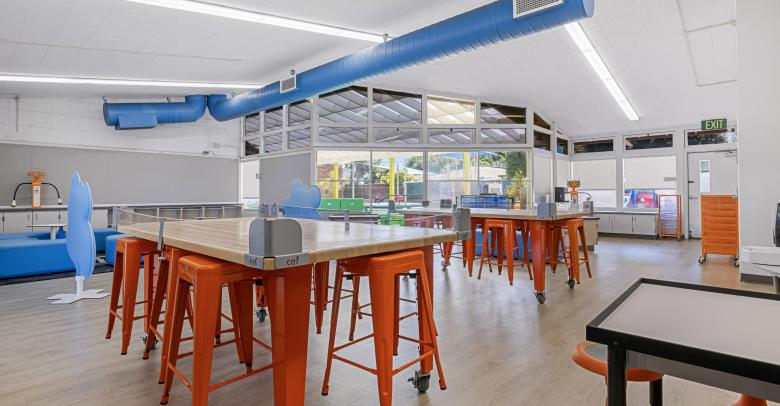
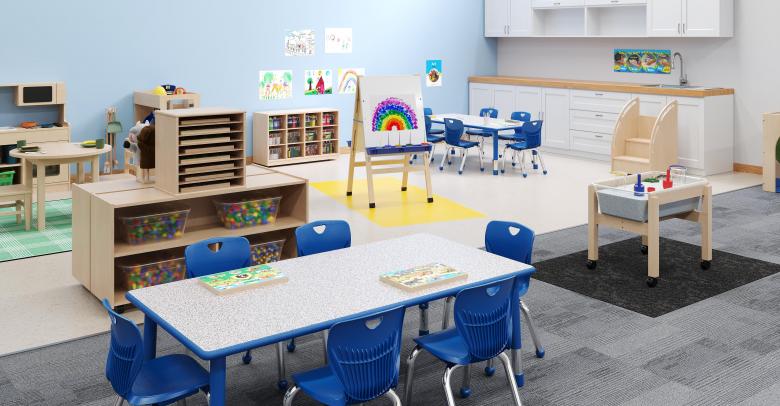
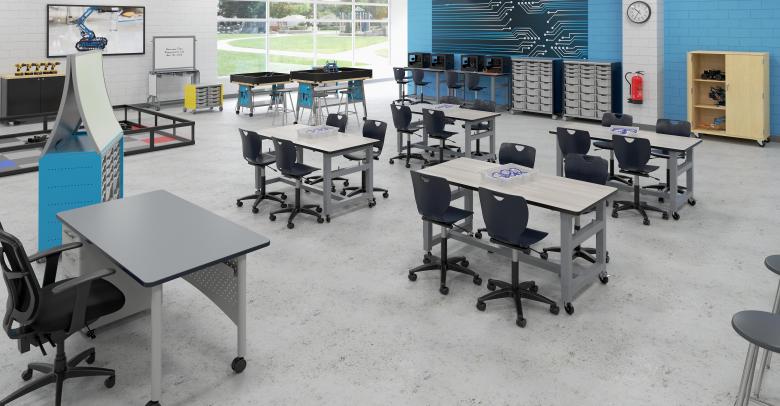
Classroom design is another important factor in setting up hybrid learning for success. The right configuration of the learning space can support and enhance instruction that’s delivered simultaneously to students in person and online. Conversely, an awkward classroom design can interfere with hybrid instruction.
Three critical design factors that educators should focus on are listed here.
- The placement of cameras and microphones: Consider sight lines and the effective range of microphones, so that students who are learning online can see and hear all classroom-based participants clearly.
- The placement of display screens: When the teacher (or a student) is presenting material, it needs to be seen equally well by the students who are learning online and those who are learning in the classroom.
- The availability of power: For students within the classroom to collaborate with those learning online, they should have their own devices for learning. These devices should have access to a convenient power source in order to recharge. Consider how you might supplement the existing power supplies within your classrooms with mobile power strips or outlets, so that students can charge their devices during class if necessary.
Designing classrooms that are flexible and easily adaptable allows you to support a wide variety of teaching strategies and learning modalities, including hybrid learning. Using highly mobile and flexible furniture, such as NeoRok, NeoSync, and NeoRyde seating from Classroom Select, allows you to create easily adaptable learning spaces.
Think carefully about what your learning spaces should look like and how they should function to support hybrid learning most effectively.
Final Thoughts
Although remote learning might not be for everybody, some students have come to appreciate this learning modality—and hybrid learning gives them another choice in how to learn. School systems can use the hybrid learning environments they’ve created to create more flexible options for students and effectively meet their needs.
To get the most out of their investment, however, K-12 leaders should think carefully about elements such as pedagogy, technology, and classroom design when creating hybrid learning environments. With thoughtful planning, hybrid classrooms can support very powerful learning experiences for students—regardless of where and how they choose to access instruction.
Download & Share
Deanna Marie Lock
Deanna Marie Lock is a reputable educational leader with a multifaceted background as an elementary school teacher, assistant principal and principal, Instructional Solutions consultant, Instruction and Intervention Subject Matter Expert, and today as the Director of Category Expertise and Support across all of School Specialty’s target curriculum solutions and widespread product categories. With 18 years spent specifically in the public education sphere, Deanna now uses this in-classroom expertise to add a personalized, intentional approach when professionally advising to an audience she herself had been a part of for nearly two decades. Deanna is passionate about building purposeful long-term internal and external customer connections, and helping students find their passion and highest potential, too!
Leave a Reply